By Ian Berger, JD IRA Analyst Question: Can I roll over my pre-tax 401(k) funds to a traditional IRA and my Roth 401(k) funds to a Roth IRA? I am concerned about the once-per-year rollover rule. Thanks, Ken Answer: Hi Ken, I have good news for you. The once-per-year...
By Sarah Brenner, JD Director of Retirement Education Hurricane season is upon us. Wildfires are raging in the West, and many states are dealing with flooding from summer storms. Natural disasters are increasingly common. After the impact comes the cleanup…and the...
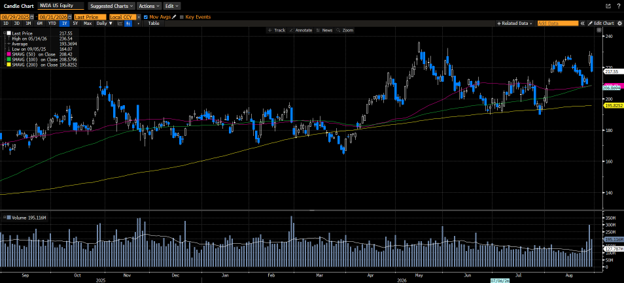
Markets ended the week mixed as investors assessed the implications of the US economic isolation of Iran, the fallout of increased tariffs on Canada, Nvidia Q2 earnings results, and the Fed Chairman’s speech at the Kansas City Federal Reserve’s Economic Symposium in...
When you become eligible for Medicare, you may hear several similar-sounding terms: the “Welcome to Medicare” visit, the Annual Wellness Visit, and a routine physical exam. Although these appointments can all play a role in managing your health, they are not the...
When you become eligible for Medicare, you may hear several similar-sounding terms: the “Welcome to Medicare” visit, the Annual Wellness Visit, and a routine physical exam. Although these appointments can all play a role in managing your health, they are not the...
Note that the example above uses jQuery to trigger the function call, but you could trigger the function call using any method you wish.fbq('track', 'Lead'); - To track the lead event on the page. Like Thank you page after submitting the lead.
If you have the Thank you page after submitting the lead then you can paste this code on the page and it'll track it as a successful lead.
If instead you wanted to track a standard purchase event when the visitor clicks a purchase button, you could tie the fbq('track') function call to the lead button on your page, like this: