By Ian Berger, JD IRA Analyst At Ed Slott and Company, we continually stress how important the beneficiary designation form is. Because it’s that form – and not the retirement account owner’s will or other estate planning documents – that usually dictates who...
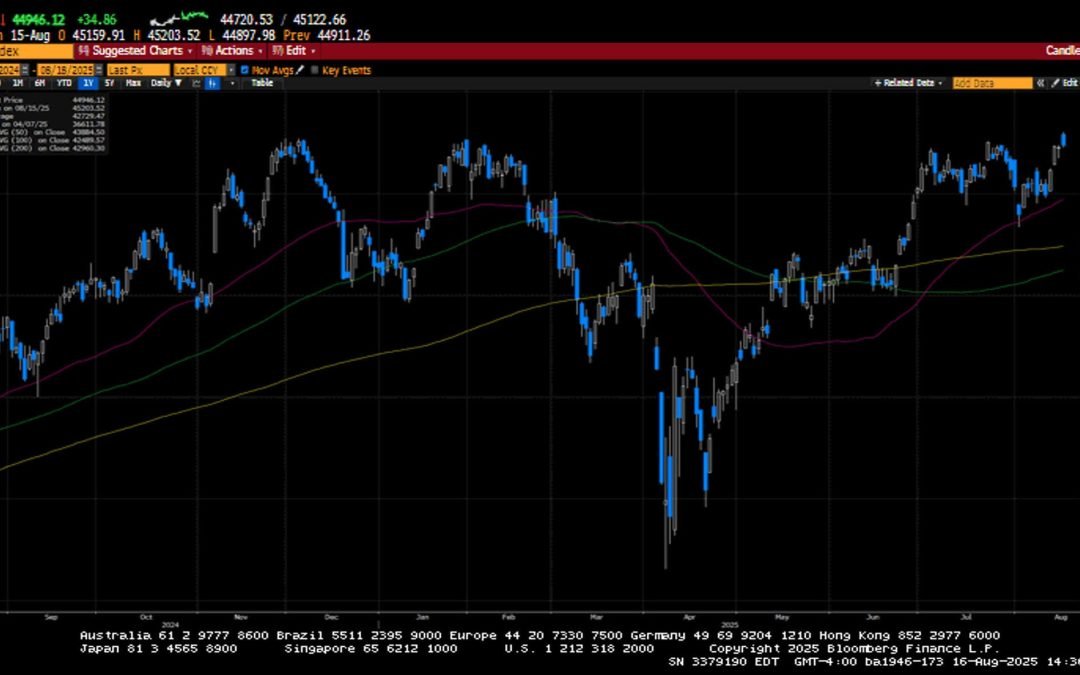
Global financial markets had another positive week as the Dow Jones Industrial Average finally joined the S&P 500 and the NASDAQ with a new all-time high. Benign consumer inflation increased the probability of a September rate cut to 99% and fostered the idea of...
Get a colorectal cancer screening at no extra cost to you. Learn more about life-saving screening options. Have you been putting off your colorectal cancer screening? It may not be the top of your to-do list, but regular screening tests can save lives. Colorectal...
Although your CalPERS service retirement is a lifetime benefit, and you have other income sources available to you, money can still be tight. Making ends meet is a big concern for many retirees. Here are six tips for saving money during retirement, as part of our...
By Andy Ives, CFP®, AIF® IRA Analyst QUESTION: I turn age 73 on December 1, 2026. I would like to do a Roth IRA conversion on January 1, 2026, prior to turning 73 years old. Does my first required minimum distribution (RMD) begin January 1, 2026, the year that I turn...
Note that the example above uses jQuery to trigger the function call, but you could trigger the function call using any method you wish.fbq('track', 'Lead'); - To track the lead event on the page. Like Thank you page after submitting the lead.
If you have the Thank you page after submitting the lead then you can paste this code on the page and it'll track it as a successful lead.
If instead you wanted to track a standard purchase event when the visitor clicks a purchase button, you could tie the fbq('track') function call to the lead button on your page, like this: