By Andy Ives, CFP®, AIF® IRA Analyst When a traditional IRA owner wants to convert all or a portion of his account to a Roth IRA, he needs to think long and hard about the transaction. For example, some questions to consider: 1. When will this money be needed?...
By Ian Berger, JD IRA Analyst A big change made by the SECURE 2.0 Act of 2022 was adding a new statute of limitations (SOL) for the IRS to assess penalties for missed required minimum distributions (RMDs) and excess IRA contributions. On its face, it looks like...
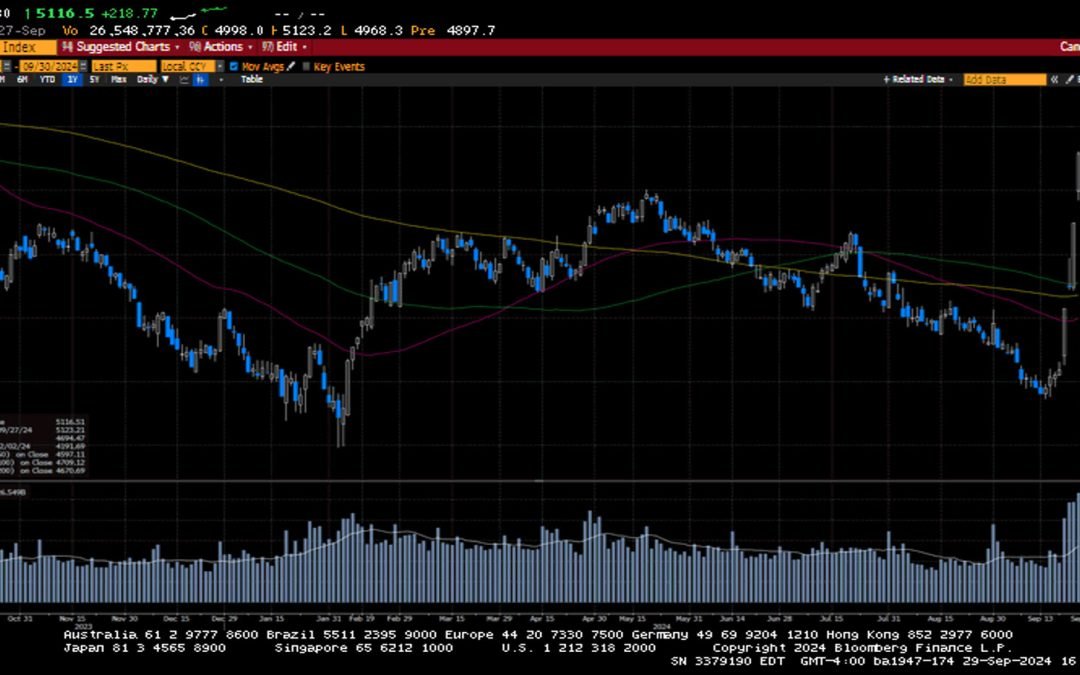
-Darren Leavitt, CFA US equity markets posted a third week of gains as global central banks continued to cut monetary policy rates. China, Switzerland, Mexico, Hungry, and the Czech Republic cut their policy rates. Chinese markets gained on the news that several...
How Medicare Advantage In-Home Health Assessments Keep Seniors Healthier Today, Medicare Advantage delivers affordable, high-quality care to more than 33 million seniors and people with disabilities, with better health outcomes than Fee-for-Service Medicare (FFS). One...
Critically underprepared for retirement, 55-year-old Americans enter a crucial 10-year countdown to plan and prepare With just a decade until retirement, 55-year-old Americans have less than $50K in median retirement savings First modern generation confronting...
Note that the example above uses jQuery to trigger the function call, but you could trigger the function call using any method you wish.fbq('track', 'Lead'); - To track the lead event on the page. Like Thank you page after submitting the lead.
If you have the Thank you page after submitting the lead then you can paste this code on the page and it'll track it as a successful lead.
If instead you wanted to track a standard purchase event when the visitor clicks a purchase button, you could tie the fbq('track') function call to the lead button on your page, like this: