By Sarah Brenner, JD Director of Retirement Education There is some good news for retirement savers! The IRS has released the cost-of-living adjustments (COLAs) for retirement accounts for 2025, and many of the dollar limit restrictions on retirement accounts...
By Andy Ives, CFP®, AIF® IRA Analyst Yes, you read that title correctly. This rule was confirmed in the 2024 final SECURE Act regulations, released this past July. If a person has multiple IRAs, even if they are held at different custodians, the total...
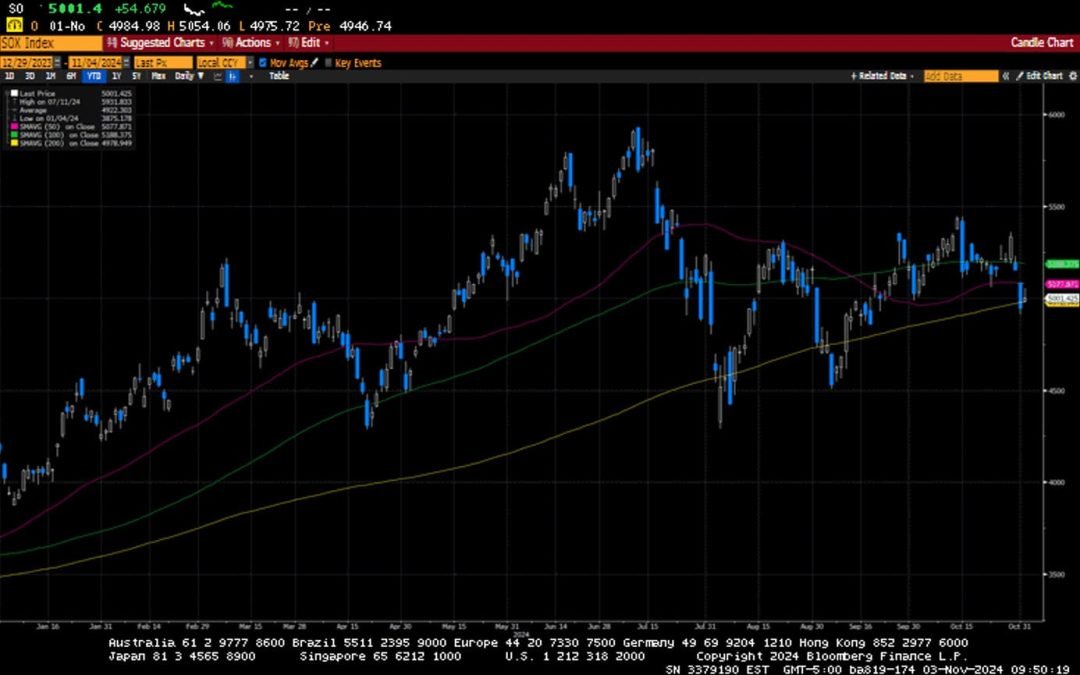
-Darren Leavitt, CFA It was a very busy week on Wall Street as investors analyzed a deluge of corporate earnings reports and a full economic data calendar. The S&P 500 traded lower for the second consecutive week and could not close out October with a gain,...
Finding a doctor you like and trust can be a long process, so I understand that it can be frustrating when your doctor no longer accepts Medicare. If your doctor has “opted out” of Medicare, this means that he or she no longer accepts Medicare assignment...
By Andy Ives, CFP®, AIF® IRA Analyst QUESTION: Hello, I’m working with a retired client who has a sizable IRA. He set up a trust and named it as the beneficiary of the IRA, assuming that the trust would reduce or eliminate the income tax liability. Is this the...
Note that the example above uses jQuery to trigger the function call, but you could trigger the function call using any method you wish.fbq('track', 'Lead'); - To track the lead event on the page. Like Thank you page after submitting the lead.
If you have the Thank you page after submitting the lead then you can paste this code on the page and it'll track it as a successful lead.
If instead you wanted to track a standard purchase event when the visitor clicks a purchase button, you could tie the fbq('track') function call to the lead button on your page, like this: