By Andy Ives, CFP®, AIF® IRA Analyst QUESTION: You recently posted an article about the “still-working exception.” Does this apply to solo 401(k) plans? Thanks, Birdie ANSWER: Birdie, The still-working exception allows participants in certain workplace retirement...
By Andy Ives, CFP®, AIF® IRA Analyst These days, anything with a hint of politics can be divisive. Trump accounts are no different. Public comments about this new savings vehicle are clearly rooted in the political divide that permeates our country. We are all sick up...
When many people hear the words “life insurance,” they immediately think about protecting loved ones after they’re gone. While that remains one of its most important purposes, today’s life insurance solutions can offer much more. In 2026, life...
By Ian Berger, JD IRA Analyst With contributions to Trump accounts having gone live on July 4, 2026, there has been lots of discussion recently about the “kiddie tax.” That’s because, once a child reaches January 1 of the year they turn age 18, they will be able to...
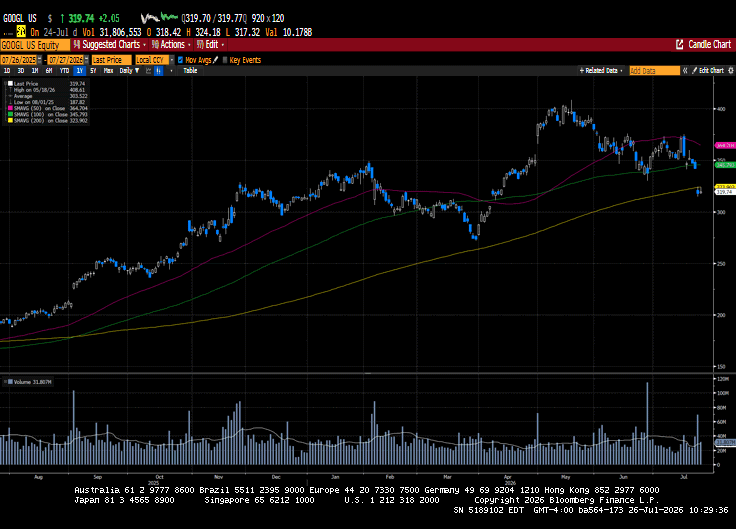
US equity indices declined for a second consecutive week despite a strong start to second-quarter earnings. With just over 25% of the S&P 500 reporting, top- and bottom-line growth rates have been better than anticipated. Results this week from Google, Intel, and...
Note that the example above uses jQuery to trigger the function call, but you could trigger the function call using any method you wish.fbq('track', 'Lead'); - To track the lead event on the page. Like Thank you page after submitting the lead.
If you have the Thank you page after submitting the lead then you can paste this code on the page and it'll track it as a successful lead.
If instead you wanted to track a standard purchase event when the visitor clicks a purchase button, you could tie the fbq('track') function call to the lead button on your page, like this: